
Appearance
CSS Form Editor
Style elements in the form container with custom CSS.
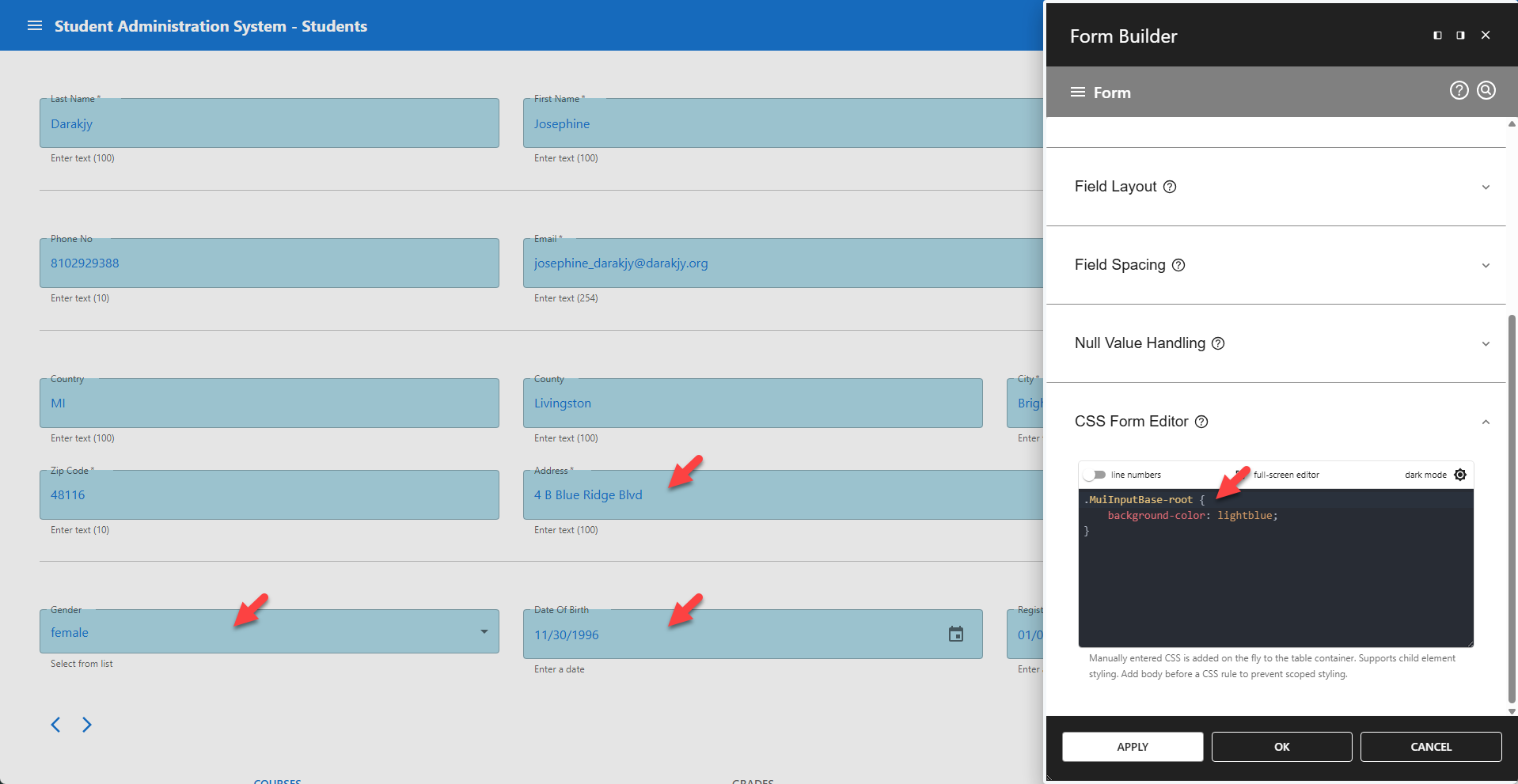
✨ Examples Styling All Scoped Input Fields
css
.MuiInputBase-root {
    background-color: lightblue;
}
✨ Examples Styling Specific Scoped Input Fields
css
.css-country-class .MuiInputBase-root {
    background-color: lightblue;
}
📌 CSS classes can be added in the Form Builder (read more...).
✨ Examples Styling Unscoped Elements
css
body input {
    background-color: lightblue;
}
📌 Styles all input elements on the current page.
📌 Notes
- Affects only elements in the form container.
- Manually entered CSS is added on the fly to the form container.
- Supports child element styling.
- Add
bodybefore a CSS rule to prevent scoped styling. - A class hierarchy is available here...