Appearance
App Manager - App Info
The App Info section lets you edit basic app information.
App Name
🏷️ App Name
- The unique identifier for your app.
- Example: my_awesome_app (must be distinct across the platform).
App Title
✨ App Title
- The display title that describes your app.
- Shown as the table title in the UI.
- Example: Customer Management Portal.
App Type
📱 App Type
- The App Manager allows users to change Data Tables to Data Administration and verse verca. Other app types cannot be updated.
Language
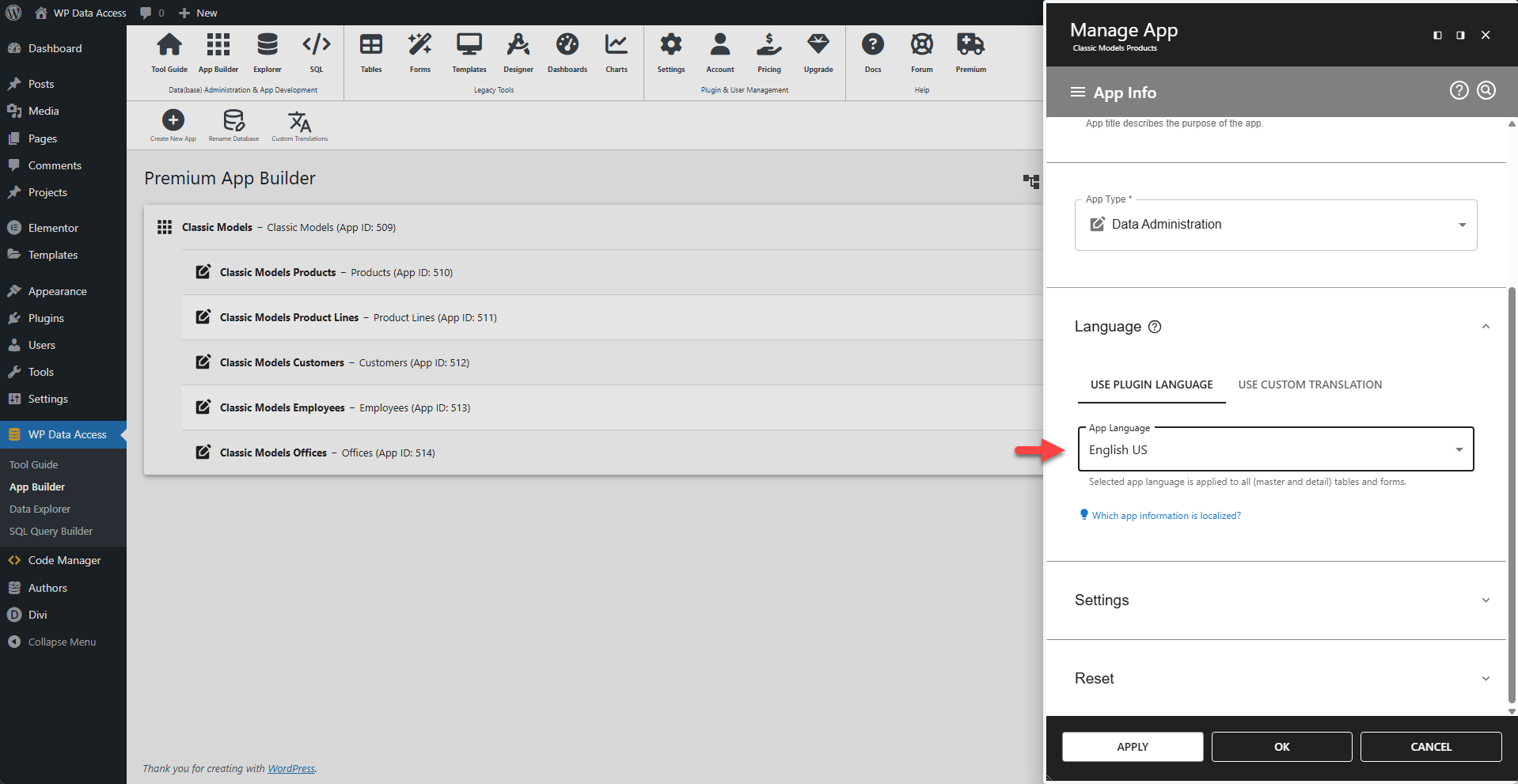
🌐 App Language
- Sets the default language for all UI elements and APP messages.
- Affects date and number formats.
Settings
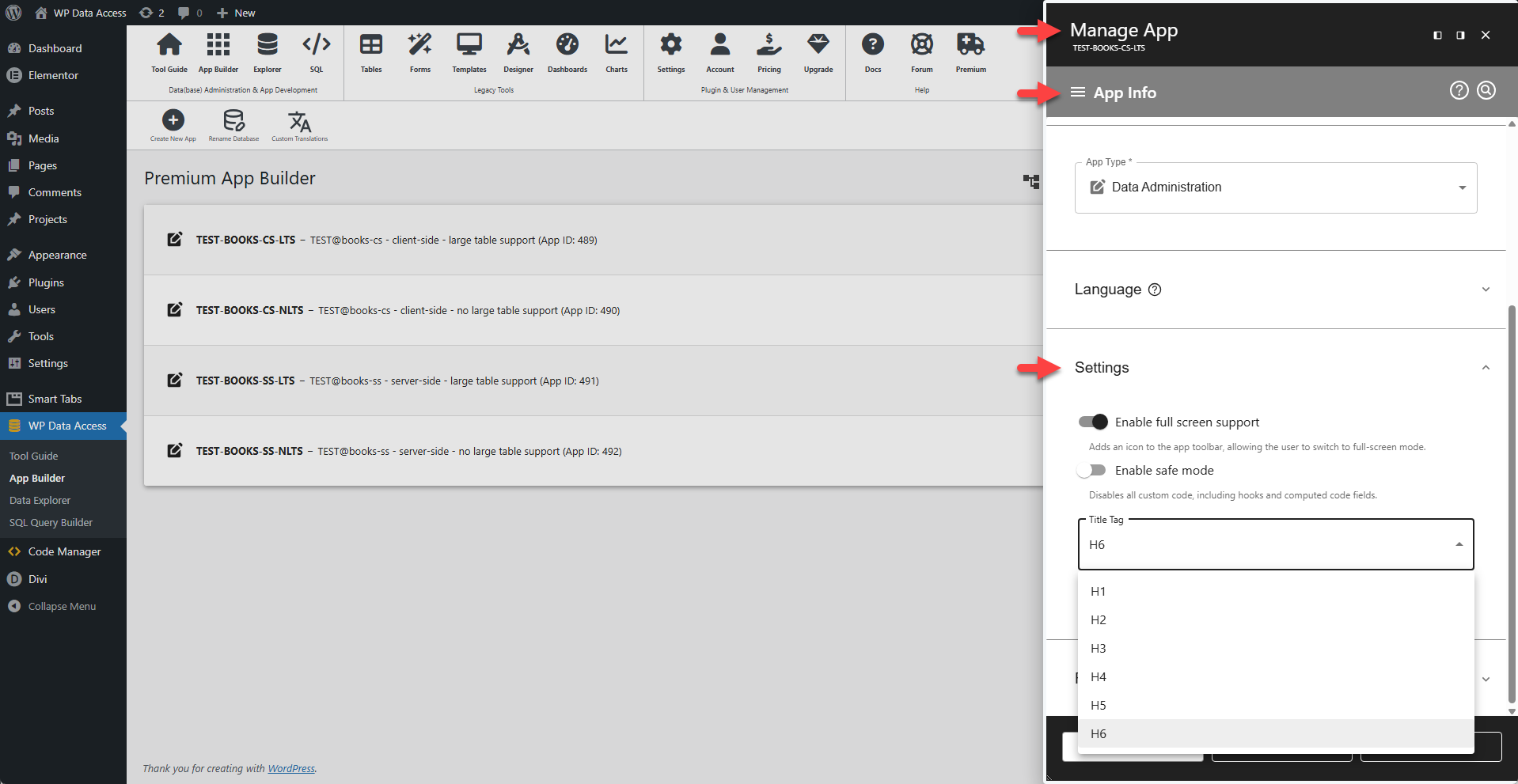
⛶ Enable full-screen support
- Adds an icon to the app toolbar, allowing the user to switch to full-screen mode.
🛡️ Enable safe mode
- Disables all custom code, including hooks and computed code fields.
🏷️ Title Tag
Changes the HTML title tag (default = H6). Use class pp-toolbar-title for additional styling.
Reset
- Options to reset table builder, form builder, chart, map, or theme.
📌 This actions cannot be undone!