
Appearance
Widgets Drag-And-Drop
Click the drag-and-drop icon on the toolbar to switch to drag-and-drop mode.
Drag-and-drop mode adds icons to each widget, allowing administrators to drag widgets to another location or move widgets left or right.
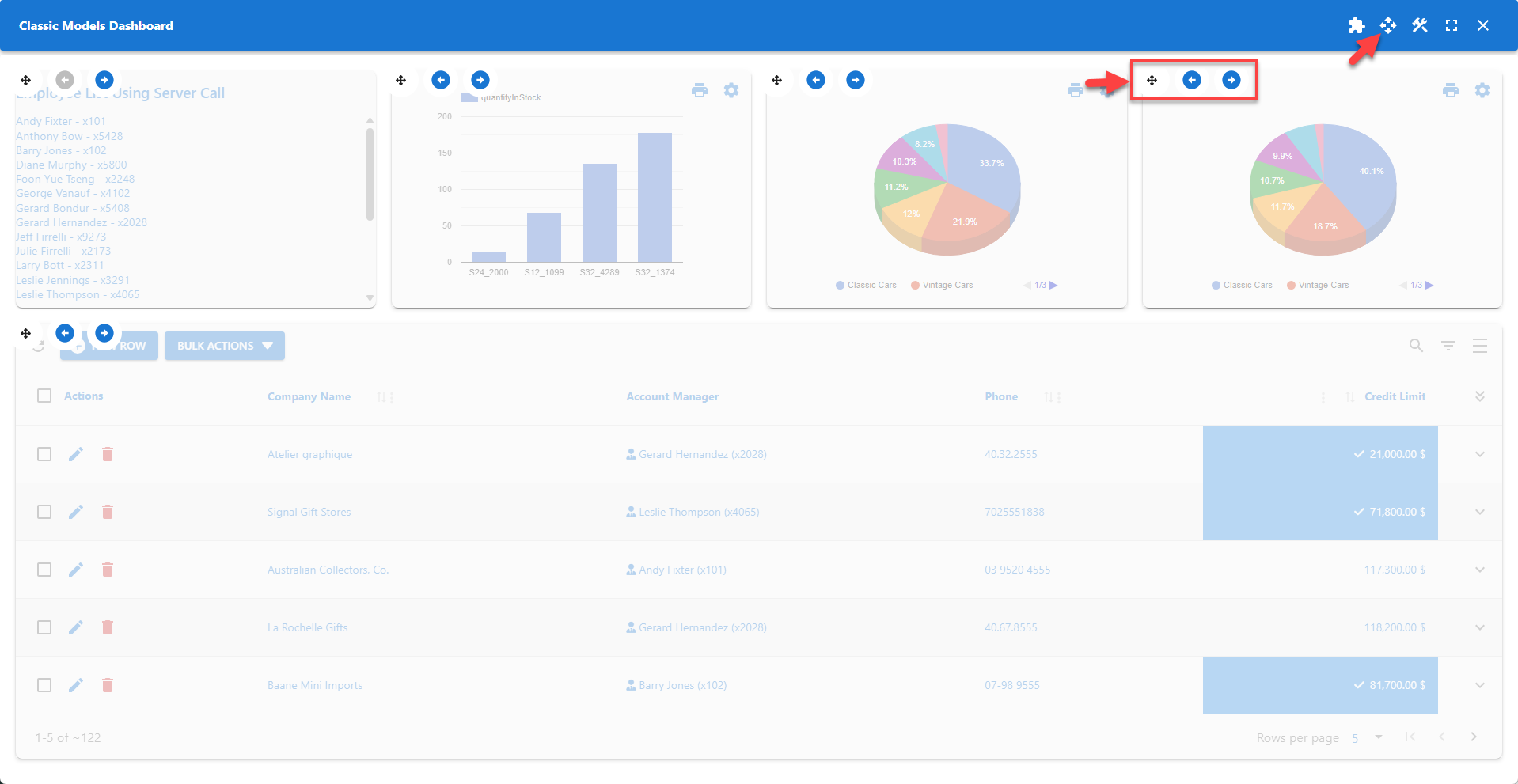
Drag-And-Drop
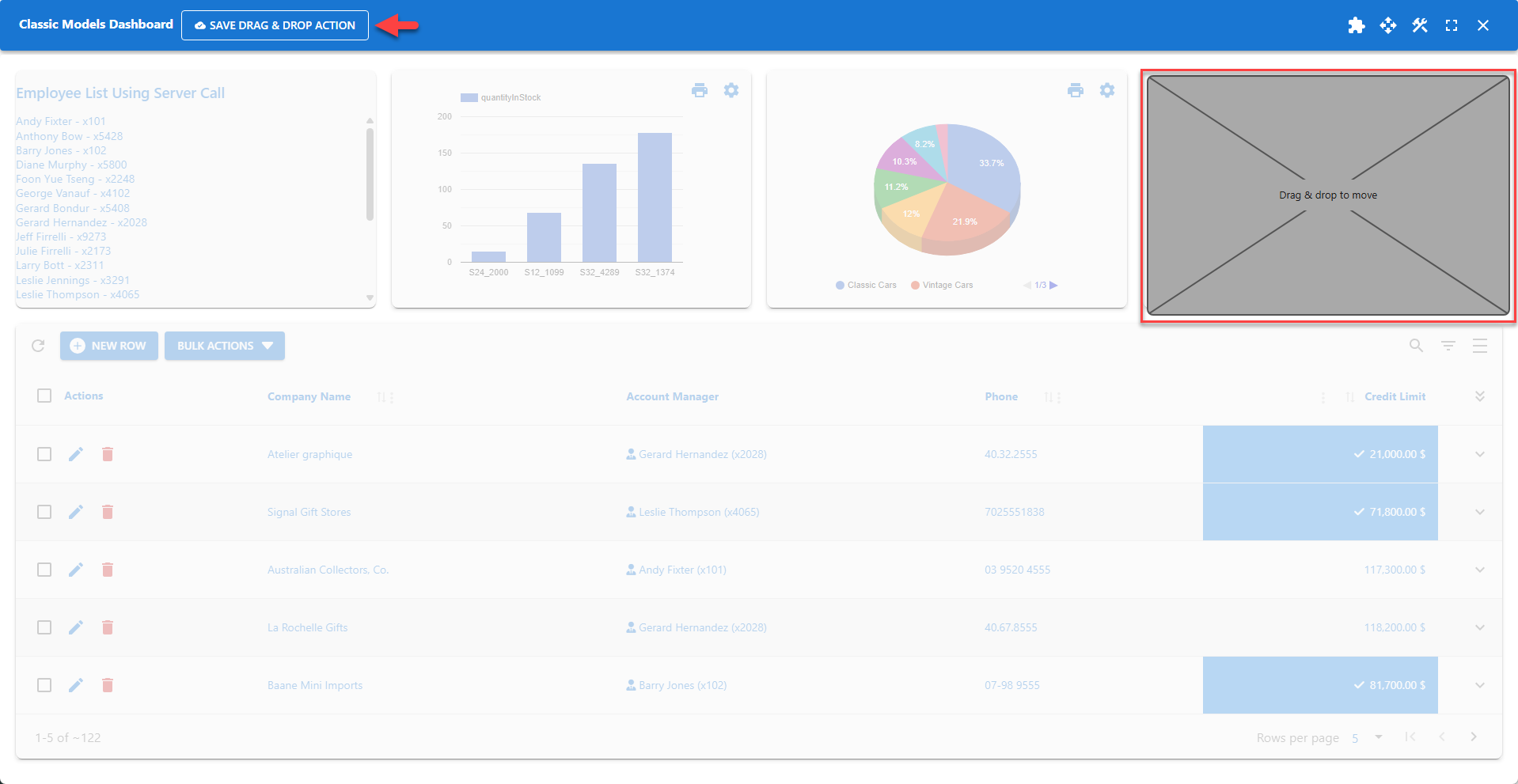
The widget content is replaced with a standard placeholder while the widget is being dragged.
The placeholder resizes to fit the destination cell as it is being dragged. The placeholder is replaced with the widget content when the widget is released.
📌 Click the drag-and-drop icon on the toolbar again to disable drag-and-drop mode.
📌 Click the SAVE DRAG & DROP ACTION button to make any drag-and-drop changes permanent.