Appearance
Dimension
This section allows administrators to change the dashboard's dimensions.
Dashboards are grid-based. The dashboard grid is divided into grid rows and cells. Each widget is assigned to a specific cell.
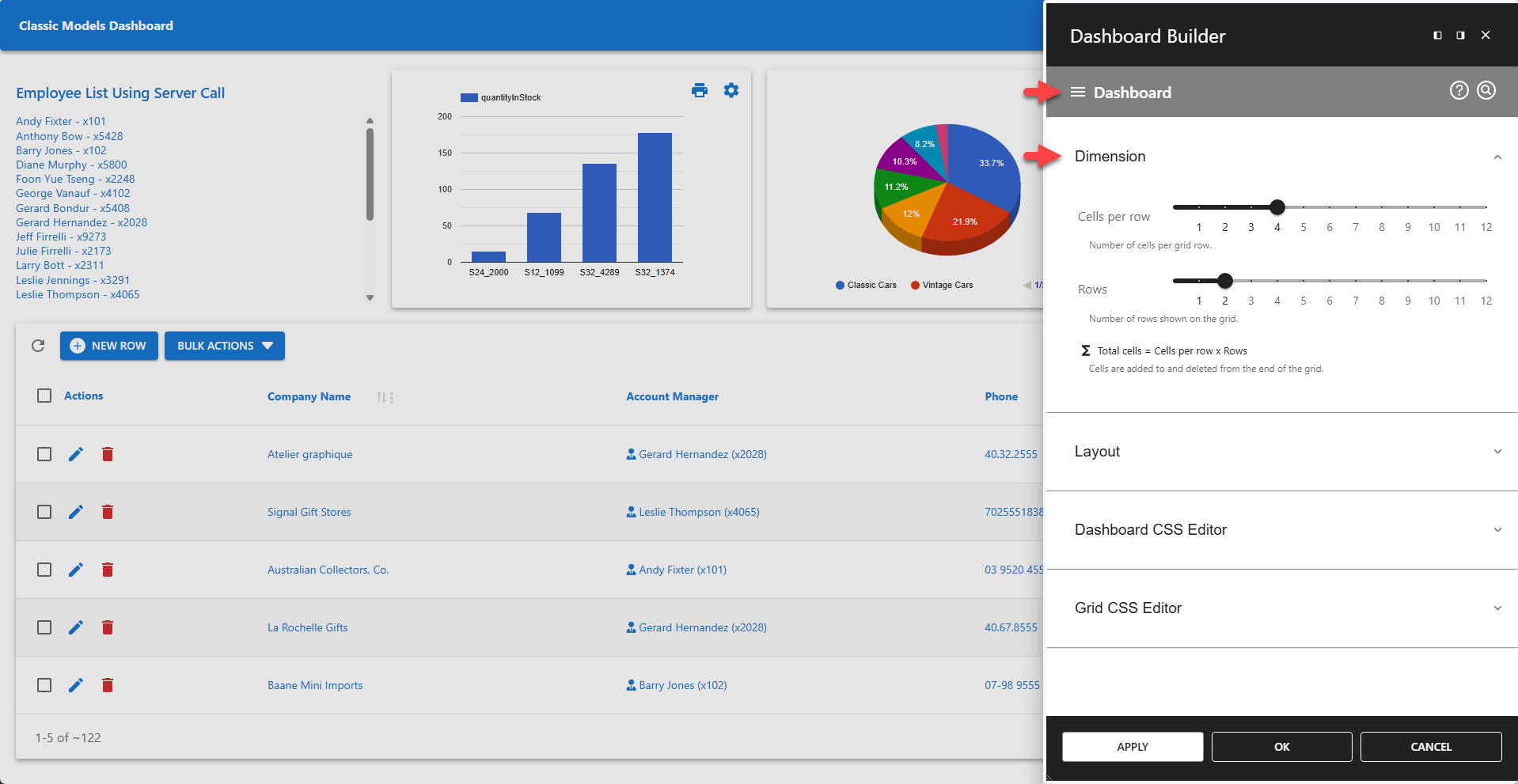
⚙️ Cells Per Row
Defines the number of cells shown on each row.
⚙️ Rows
Defines the number of rows shown on the dashboard.
Σ Total cells = Cells per row x Rows
Widgets can span over multiple cells and rows. This can be configured in Widget Settings - Dimension and results in fewer cells being available on the grid.
✨ The screenshot above shows a table widget on the second row of the dashboard that spans four cells.
Changing the dimensions for a dashboard triggers a calculation of the number of cells that will be shown on the updated dashboard. If the update results in more cells, widgets are automatically added. If the update results in fewer cells, a confirmation dialog is displayed that requires user confirmation. Dimension updates are persistent as soon as the changes are explicitly saved.