Appearance
Layout
Use this section to change the dashboard layout.
📌 This section supports only basic layout changes and does not require any CSS knowledge. In-depth layout changes can be managed using the Dashboard CSS Editor and Grid CSS Editor described in separate sections, which require some basic CSS knowledge.
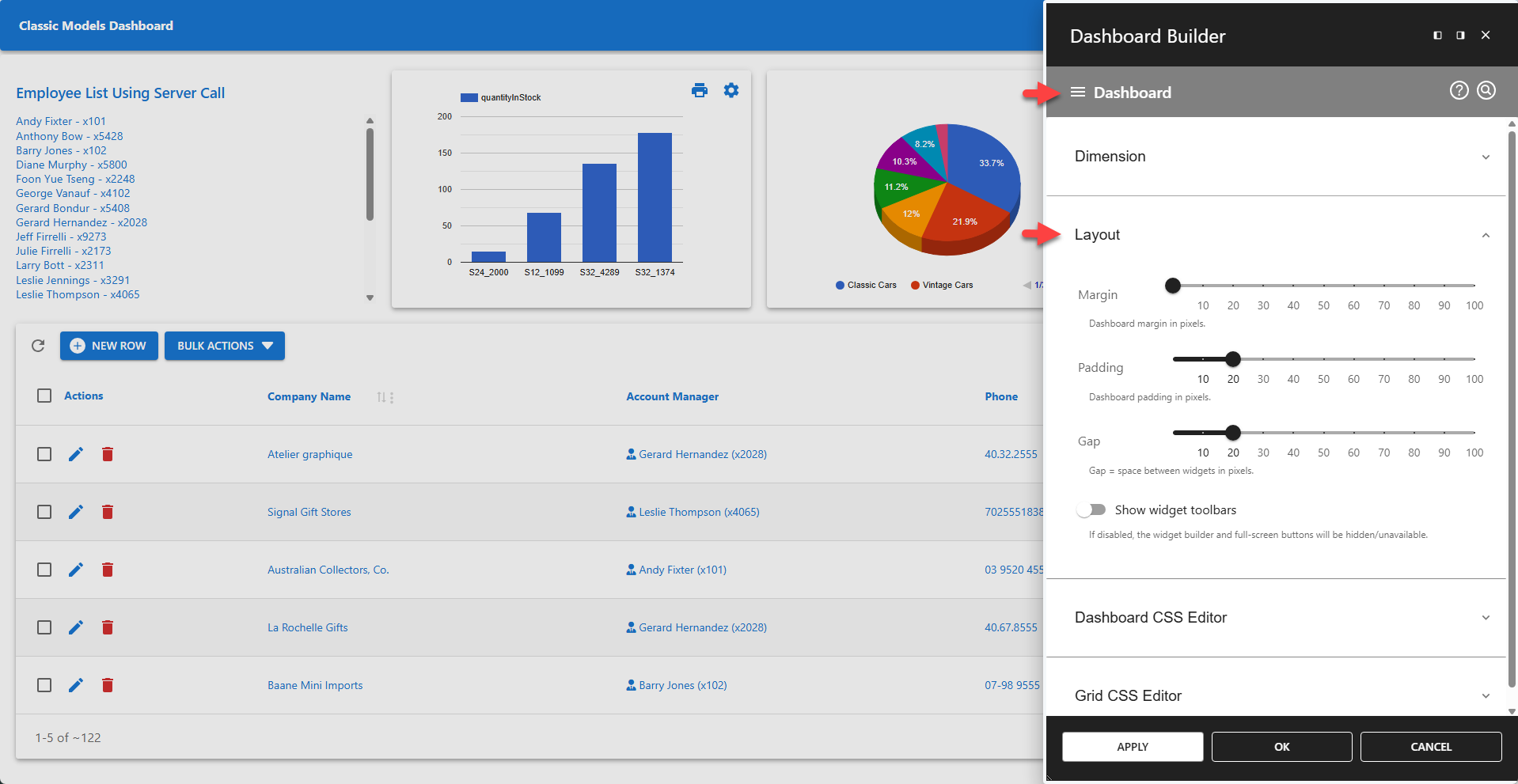
⚙️ Margin
Defines the margin around the dashboard in pixels.
⚙️ Padding
Defines the padding for the dashboard in pixels.
⚙️ Gap
Defines the gap between widgets shown on the dashboard in pixels.
⚙️ Show Widget Toolbars
Any app can be added to a dashboard as a widget. Toolbars are added to apps by default, allowing administrators to launch the builder for each widget individually. This also allows users to open individual widgets in full-screen mode. Hiding the widget toolbars removes these features.