
Appearance
Progressive Web App (PWA)
A Progressive Web App (PWA) is a website that looks and behaves like a native mobile app. Built with standard web technologies (HTML, CSS, and JavaScript), PWAs combine the best of the web and the best of native apps. Unlike traditional apps, PWAs do not require installation from an app store; users can install them directly from the browser, making them easy to access and update.
Running a WP Data Access App as a PWA
Any WP Data Access app type can run as a PWA on a unique URL. These PWAs require minimal WordPress resource loading and have no styling interference with back-end or theme CSS. Visitors can add your PWA to their home screen and open it like a native app on Android, iOS, Windows, and macOS.
Creating a PWA
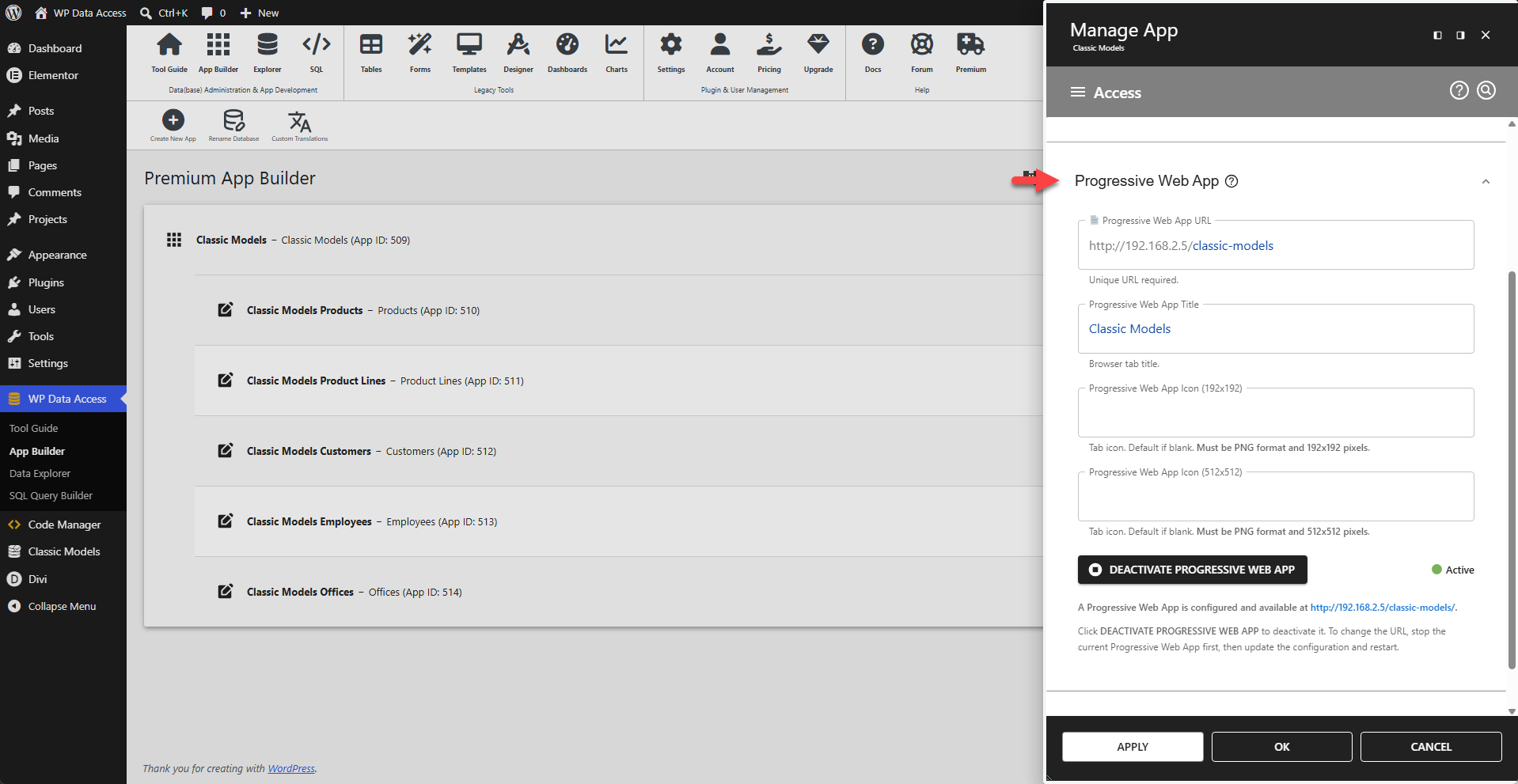
A PWA can be created and activated in the App Manager in the Access menu in the Progressive Web App section. Service workers and manifests are handled automatically, with no manual actions required. If a PWA requires authentication, the user will be redirected to the WordPress login page. Builders are available on PWA pages, allowing administrators to build apps directly on PWA pages.
Advantages
- Progressive Web Apps are accessible on their own unique URL
- Progressive Web Apps require minimal WordPress resource loading
- Progressive Web App styling does not interfere with back-end or theme CSS
- Service Worker caches pages and static files
- Installations and updates directly from the browser
- Reduced costs for mobile app development
Requirements
- HTTPS must be enabled – PWAs require a secure origin
Limitations
- Offline data handling is not supported